Working demo · Beauty & Wellness
SalonFlow
Booking, calendar, client history and service operations for salons and spas.
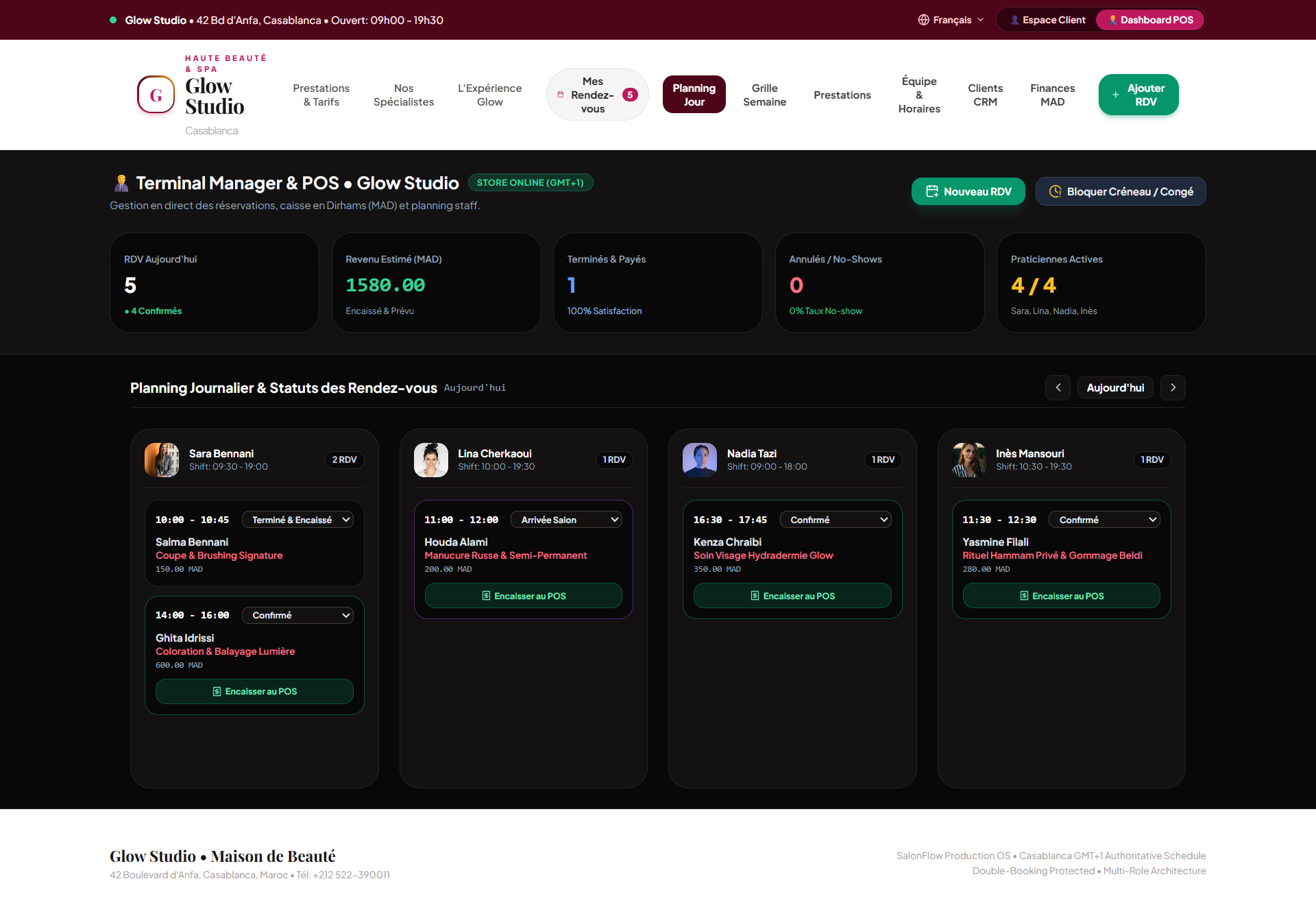
The problem
The schedule only exists in the receptionist’s head.
Bookings arrive through messages, appointments can overlap, and client history lives in the receptionist’s memory. A salon needs booking logic that understands services, staff availability and the customer record.
How it fits together
- Salon owner
- Admin dashboard
- Calendar / services / team hours
- Confirmations + reminders
- Client experience
Two sides, one system
The manager side and the customer side, on the same system.
- Calendar
- Services
- Customers
- Team hours
- Appointments
- Finance view
- Reminders
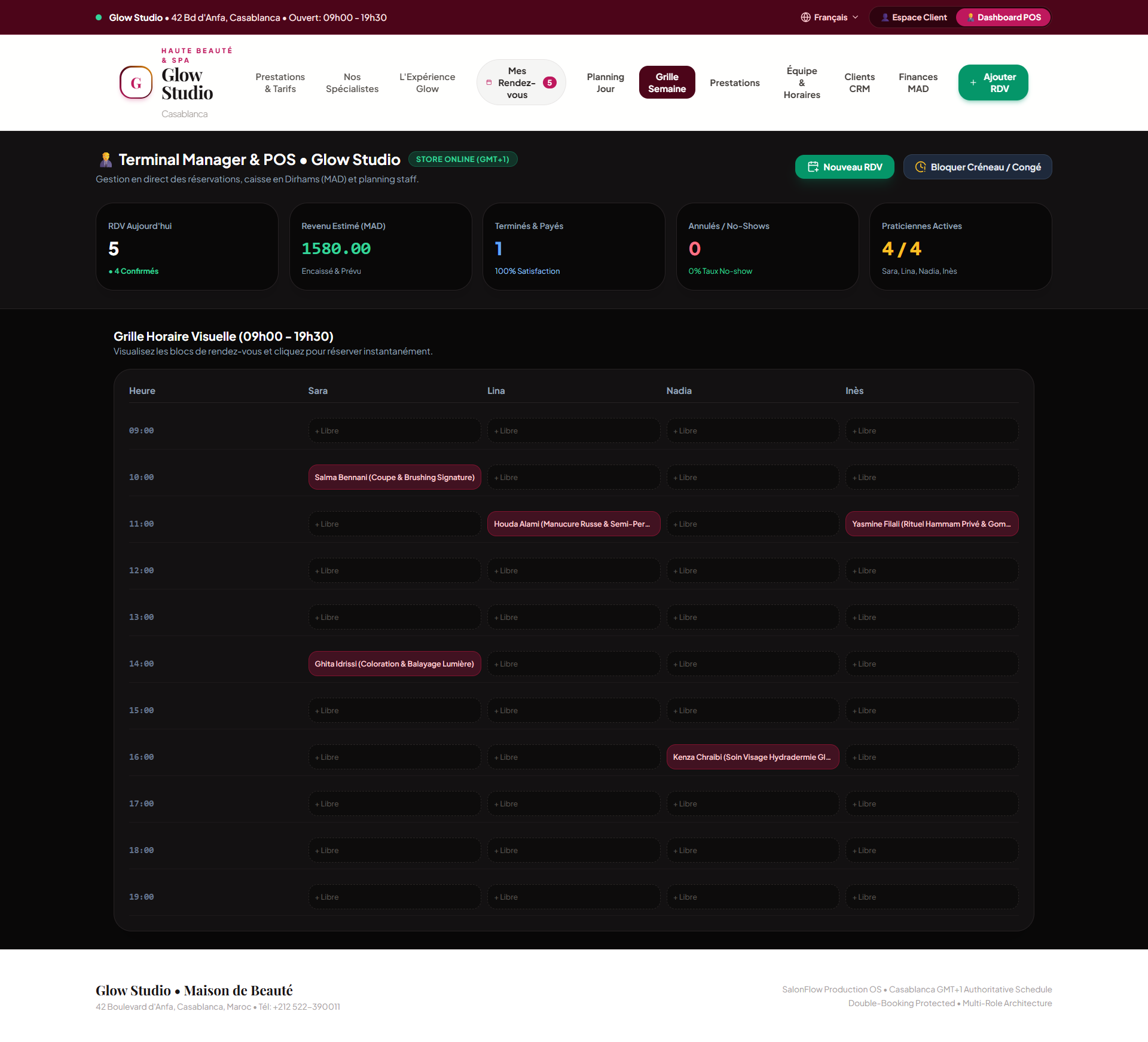
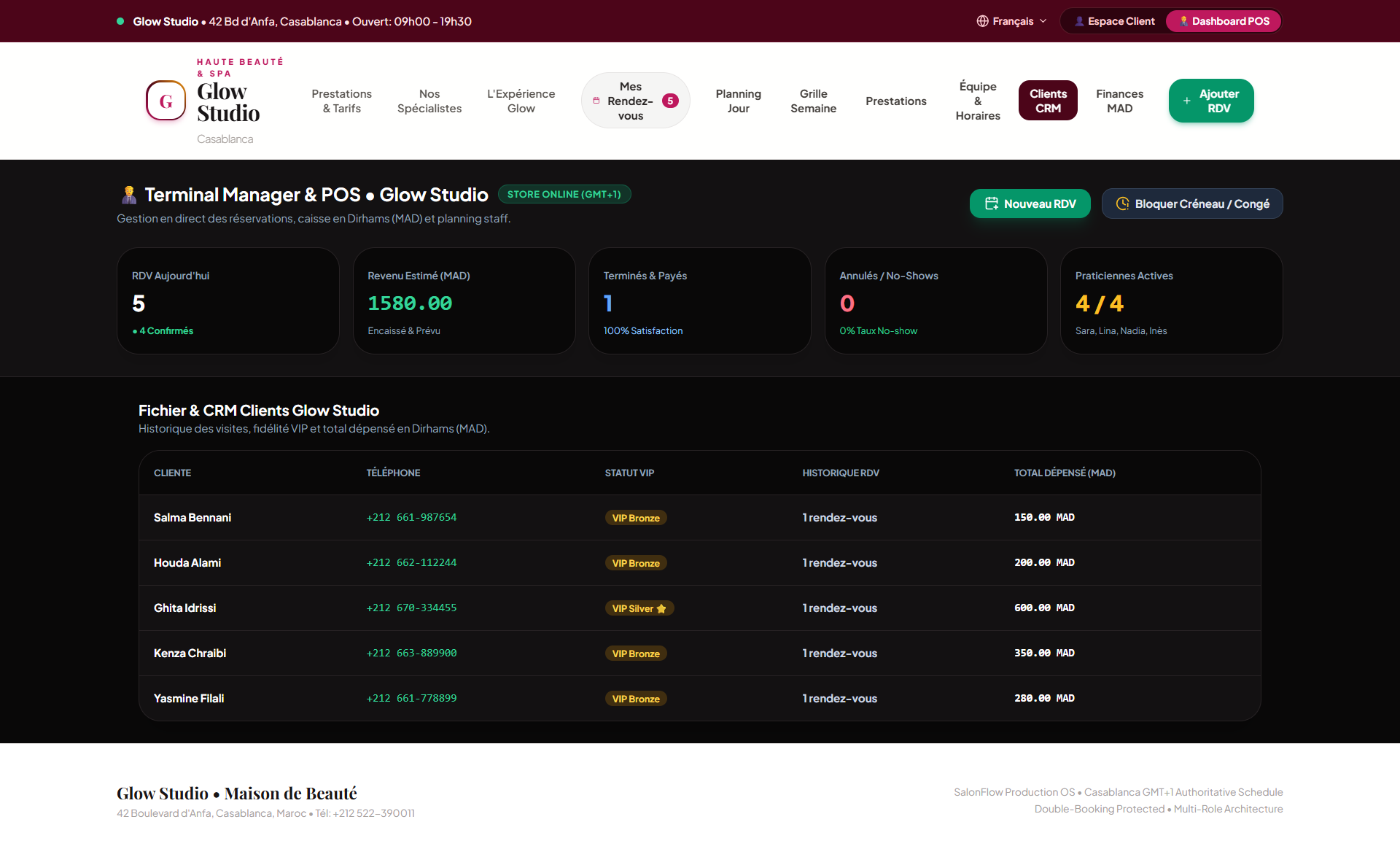
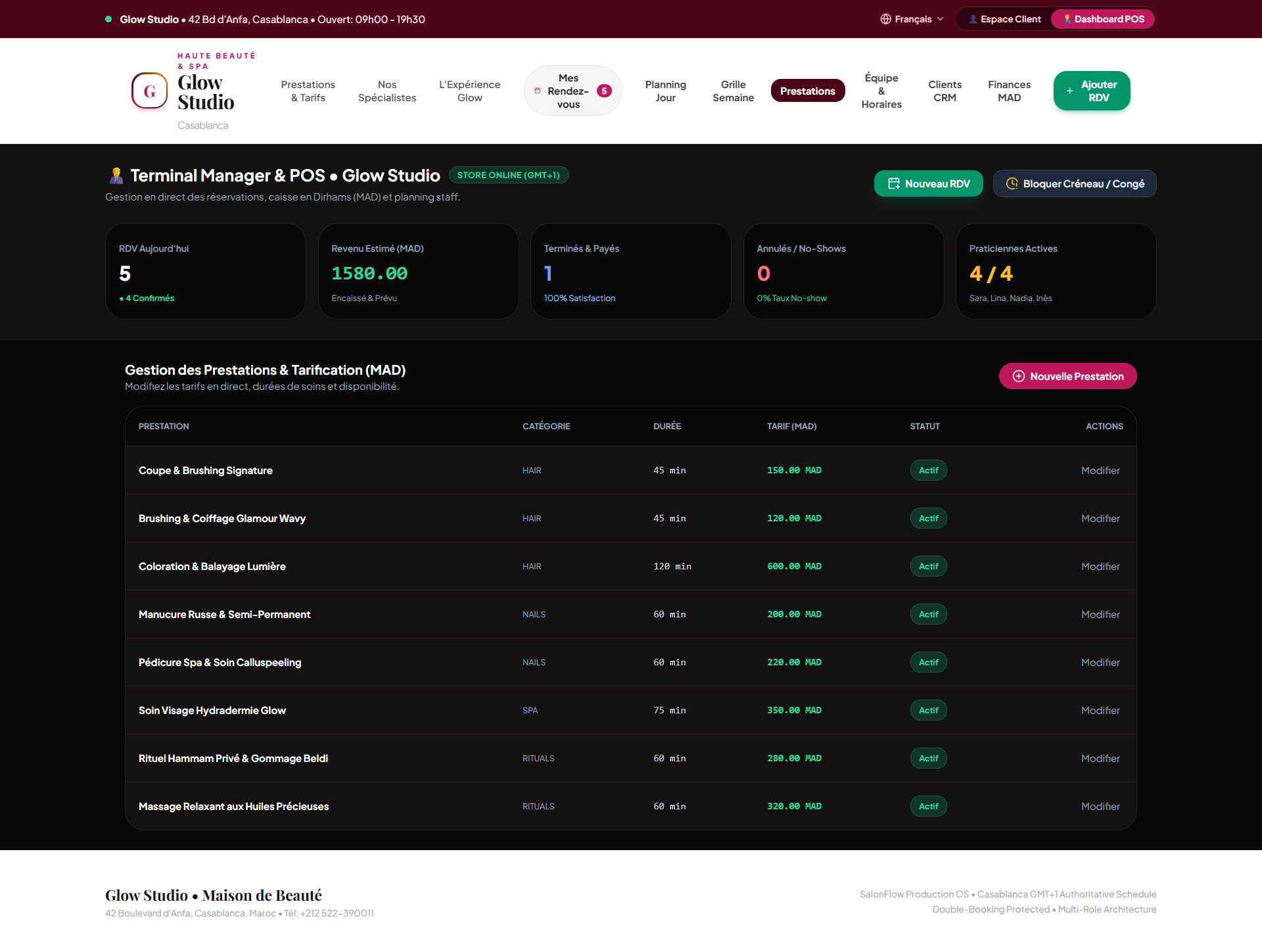
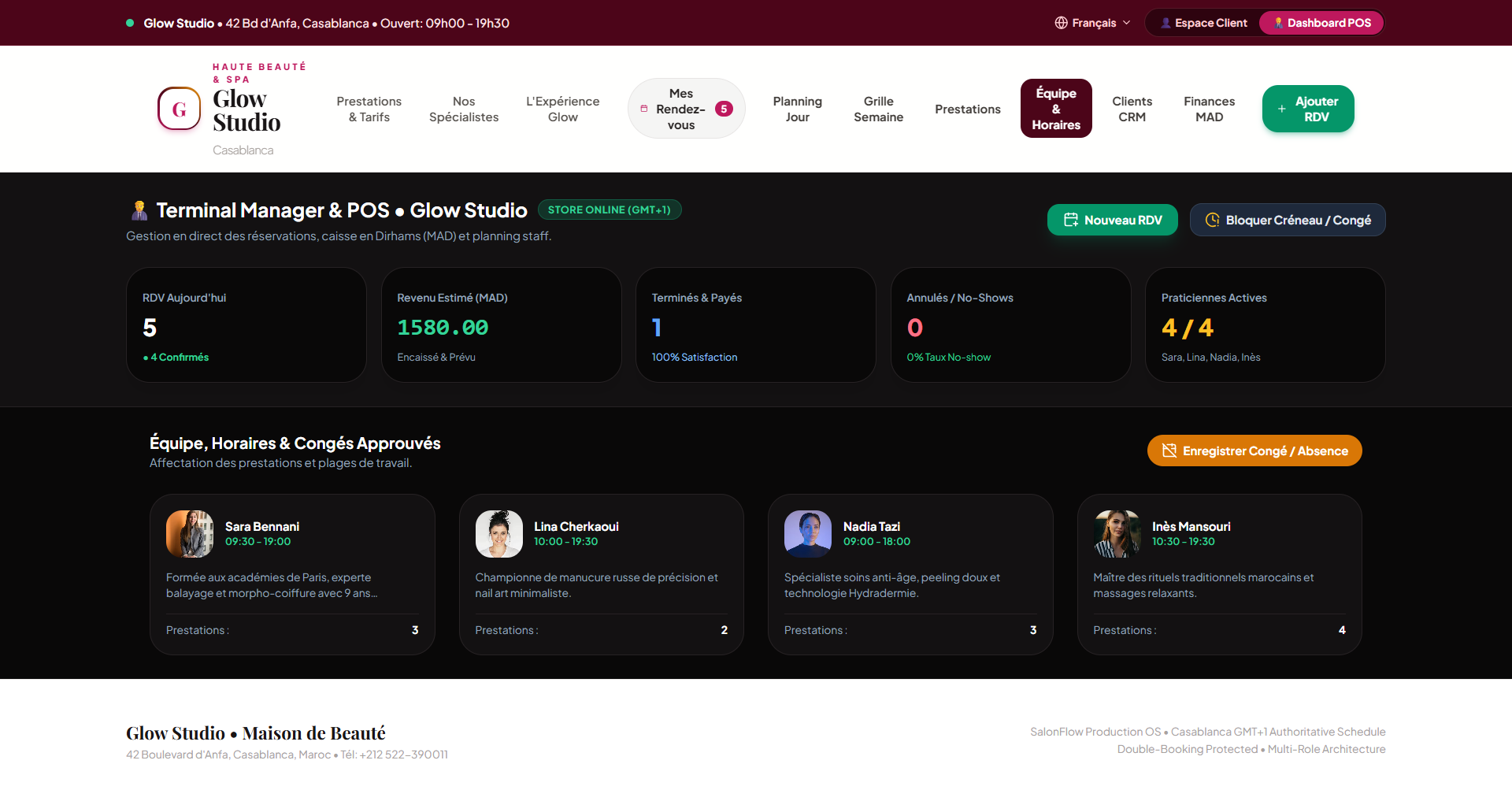
Example daily workflow
From action to traceable result.
- 01Client selects service
- 02Available slot is shown
- 03Booking is confirmed
- 04Team calendar updates
- 05Reminder is sent
Automations
- Booking confirmation
- Appointment reminder
- Missed appointment flag
- Client follow-up
Customization
- Branding
- Services and durations
- Staff skills
- Working hours
- Languages
- Reminder rules
Implementation includes
- Service setup
- Calendar configuration
- Branding
- Deployment
- Team onboarding
- Initial support
Your business could run like this.