Démo fonctionnelle · Restauration
Système restaurant
Menu QR, prise de commande et espace gérant, pour les restaurants qui veulent moins de ressaisies.
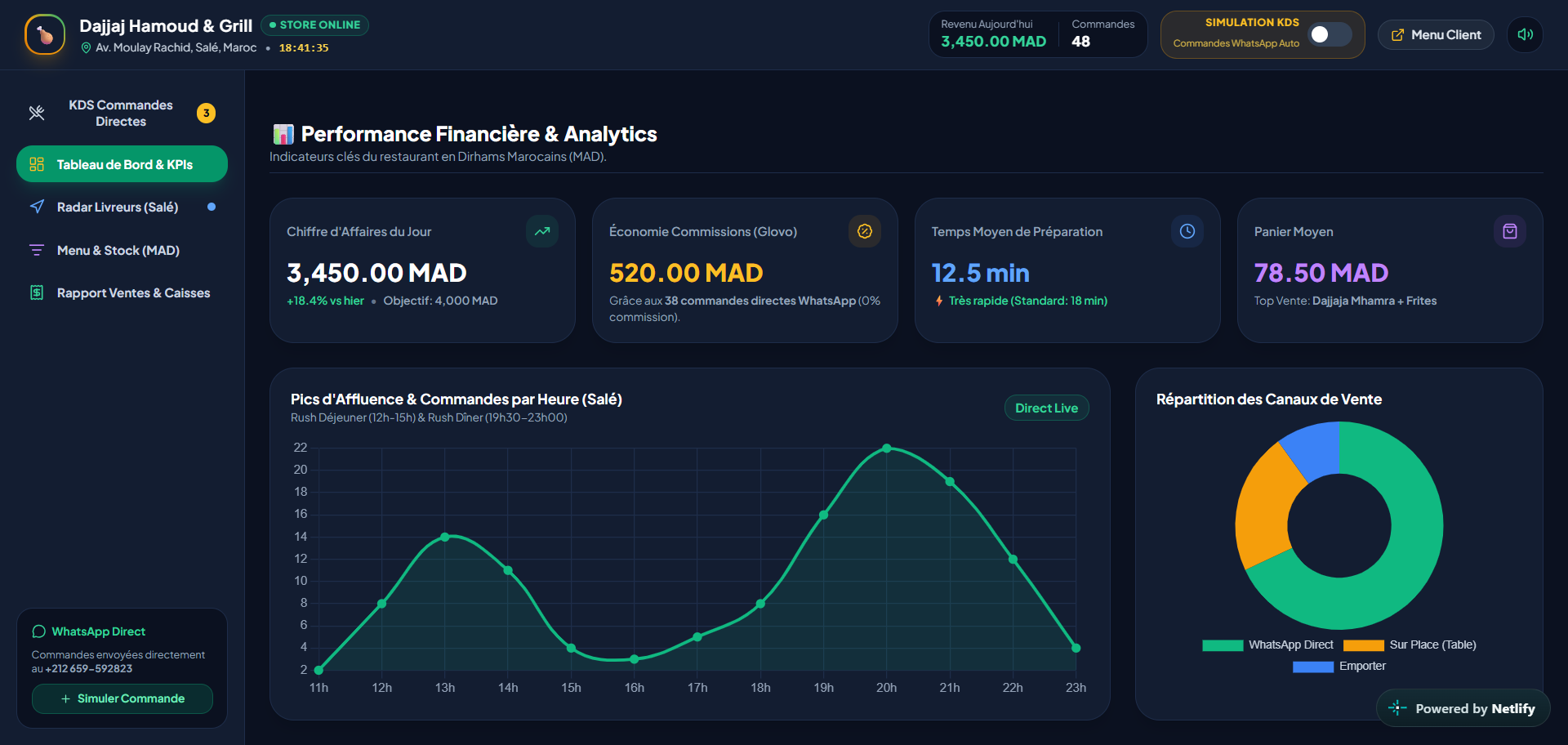
Le problème
La cuisine reçoit l'information trop tard.
Le menu change, les commandes sont ressaisies à la main, et la cuisine reçoit souvent l'information en retard. Un système de restaurant doit relier le geste du client à la file de commandes, au contrôle du menu et au suivi du gérant.
Comment c'est organisé
- Gérant
- Espace gérant
- Commandes / menu / écran cuisine
- Menu QR + suivi de commande
- Espace client
Deux côtés, un seul système
Le côté gérant et le côté client, sur le même système.
- Tableau de bord
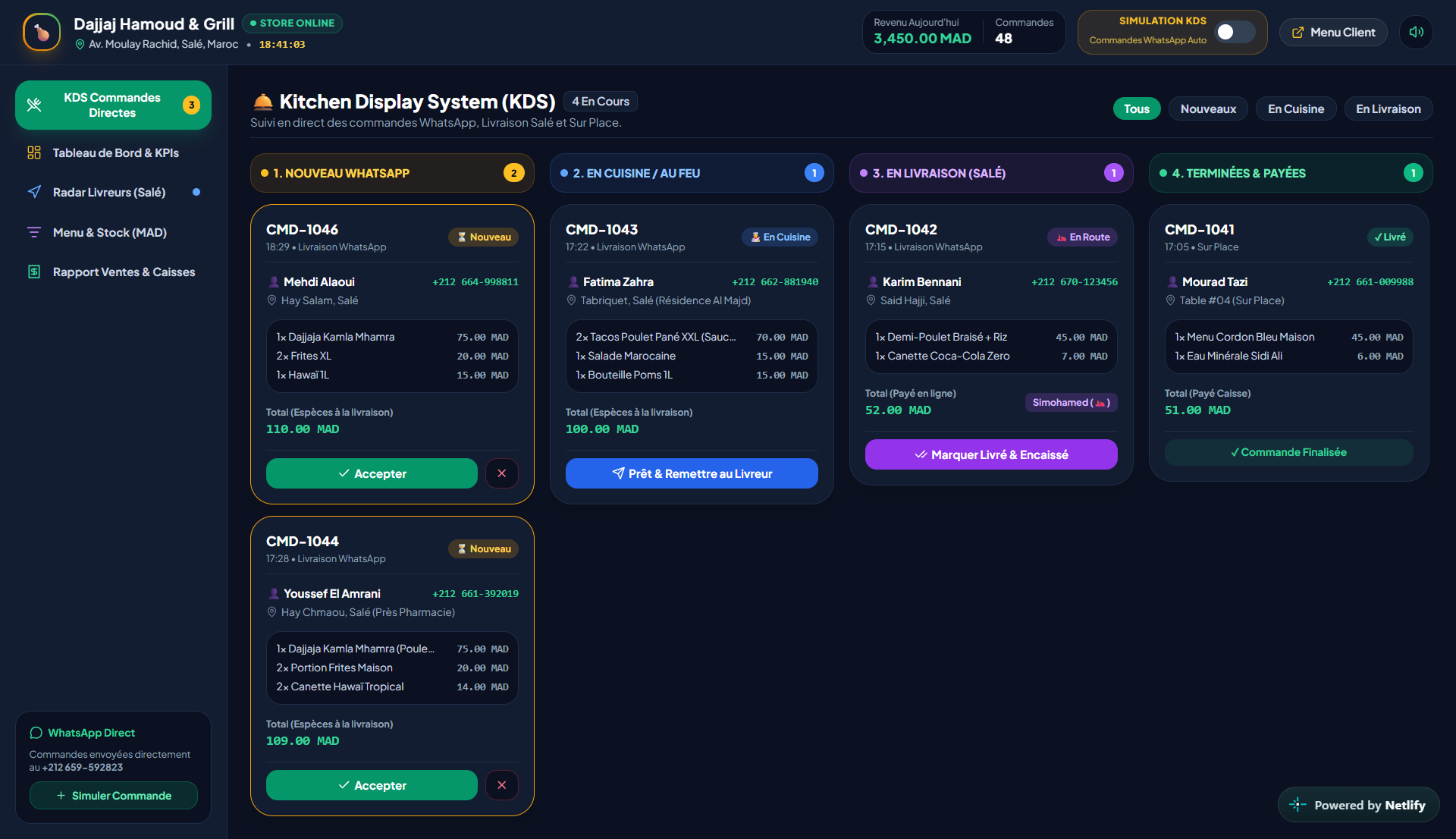
- Commandes
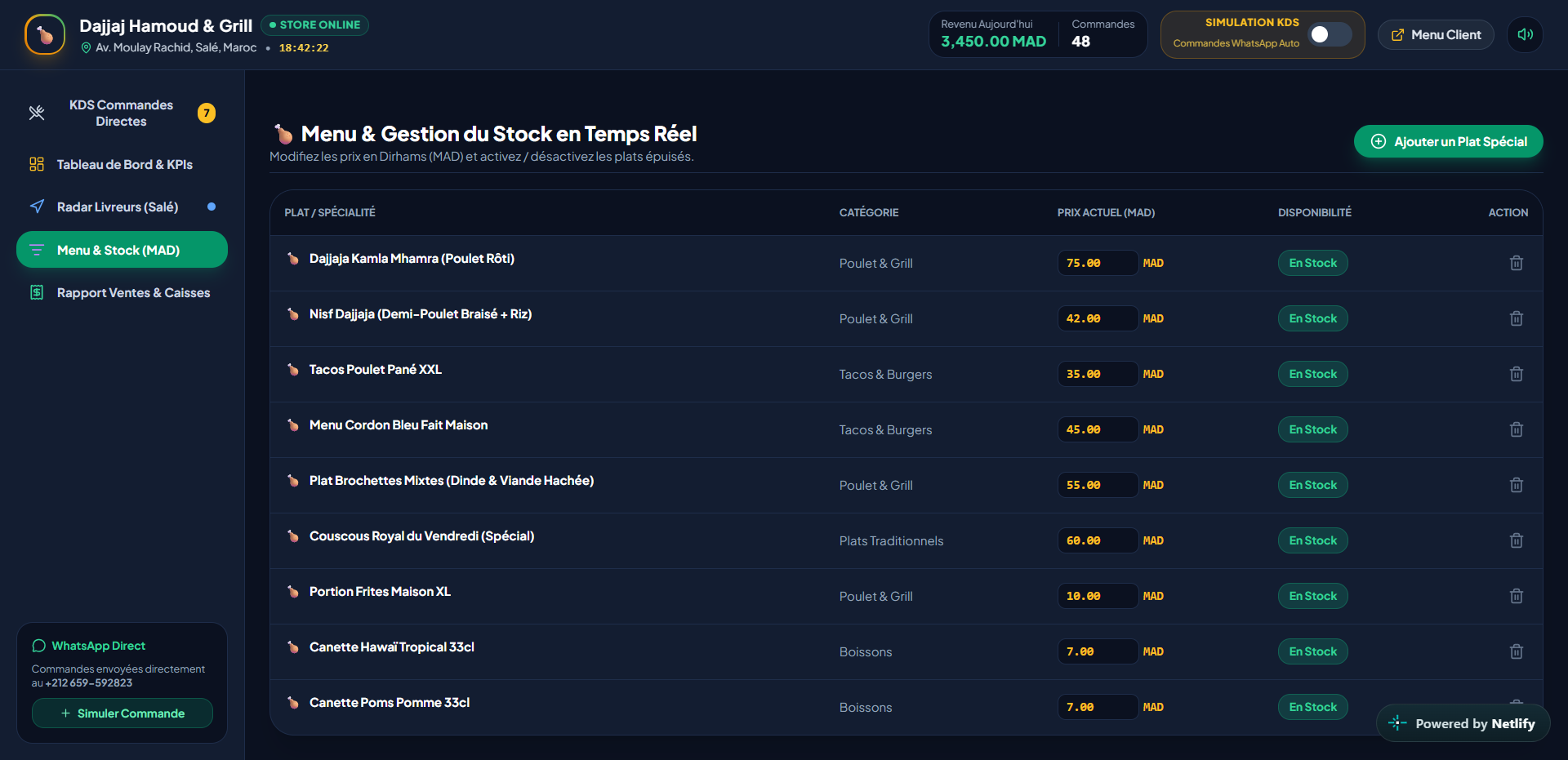
- Gestion du menu
- Écran cuisine
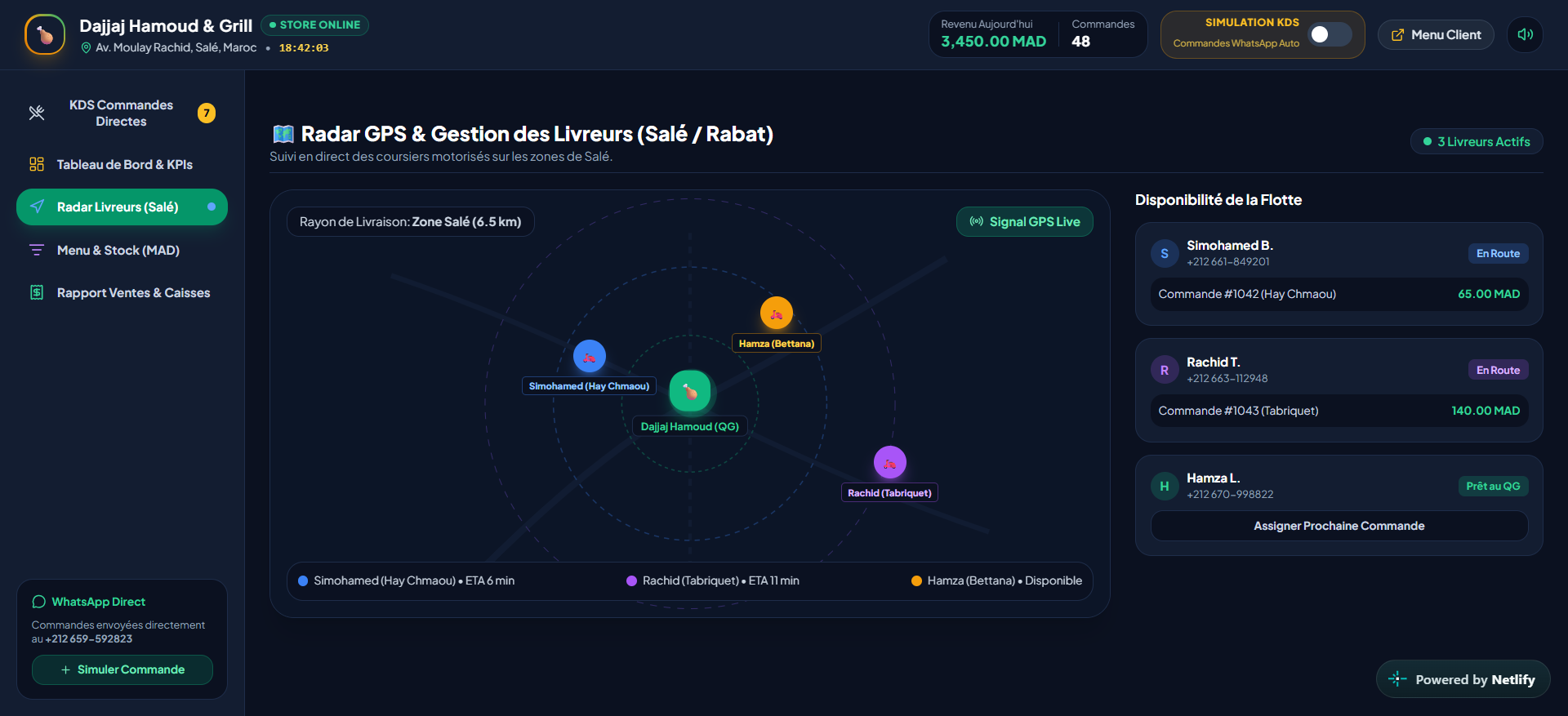
- Livraison
- Statistiques
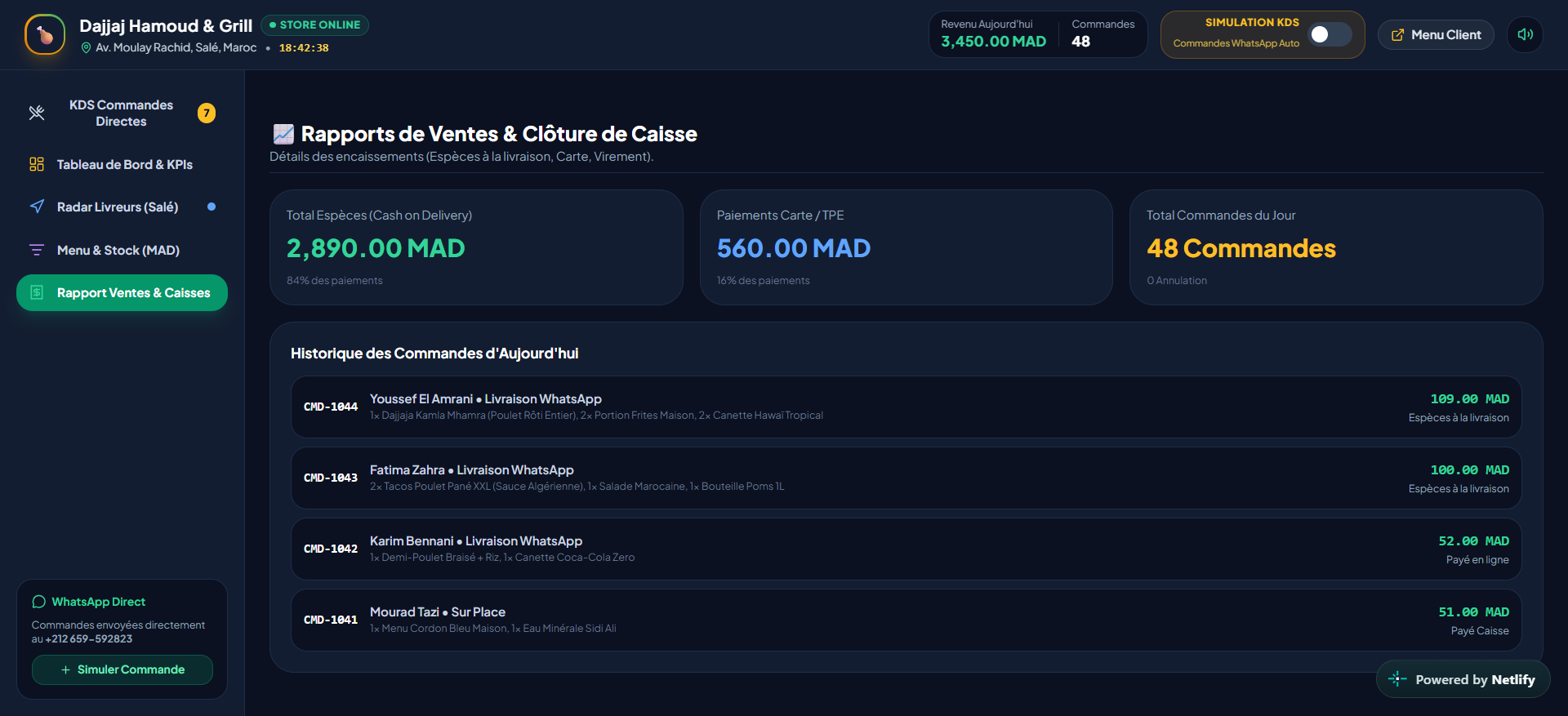
Exemple de journée
De l'action au résultat traçable.
- 01Le client scanne le QR
- 02La table est identifiée
- 03La commande est envoyée
- 04L'écran cuisine se met à jour
- 05Le gérant suit le service
Automatisations
- Mise à jour du statut de commande
- Mise à jour de l'écran cuisine
- Changement de disponibilité du menu
- Alerte de suivi de livraison
Personnalisation
- Image de marque
- Catégories du menu
- Règles des tables
- États en cuisine
- Langues
- Processus de livraison
La mise en place comprend
- Mise en place du menu
- QR par table
- Configuration gérant
- Mise en ligne
- Formation de l'équipe
- Support de démarrage
Votre entreprise pourrait fonctionner comme ça.